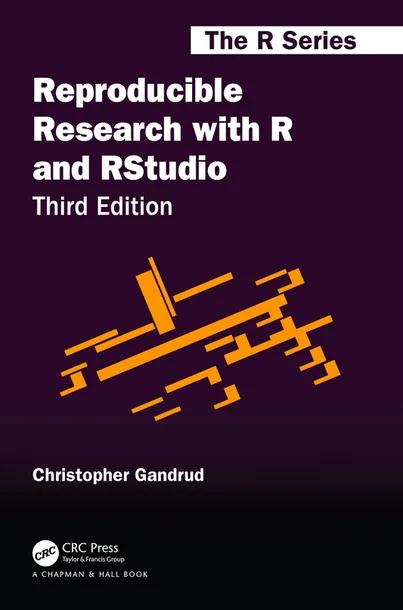
Reproducible Research with R and RStudio
by Christopher Gandrud
3rd Edition
Publisher: Chapman & Hall
Book Details
| Print ISBN | 9780367143985 |
| eText ISBN | 9780429627958 |
| Publisher | Chapman & Hall |
| Publishing Year | 2020 |
| Edition | 3rd Edition |
| Language | English |
| Pages | 298 |
Reproducible Research with R and RStudio, 3rd Edition, is a textbook by Christopher Gandrud that presents a practical computational research workflow. The volume guides readers through gathering and analyzing data and dynamically outputting results in print and online formats.
Coverage addresses fundamental tasks such as file management, data preparation, and statistical modeling. The text demonstrates how to generate tables and figures automatically in R and format research presentation documents with markup tools.
Recommended for advanced undergraduates in mathematics and statistics along with early graduate students, the volume can serve as the primary textbook for reproducible research courses. Supplementary examples and materials are available on the author's website.
Table of Contents
Chapter 1: Introducing Reproducible Research
- • What Is Reproducible Research?
- • Why Should Research Be Reproducible?
- • For science
- • For you
- • Who Should Read This Book?
- • Academic researchers
- • Students
- • Instructors
- • Editors
- • Private sector researchers
- • The Tools of Reproducible Research
- • Why Use R, knitr/R Markdown, and RStudio for Reproducible Research?
- • Installing the main software
- • Installing markup languages
- • GNU Make
- • Other Tools
- • Book Overview
- • How to read this book
- • Reproduce this book
- • Contents overview
Chapter 2: Getting Started with Reproducible Research
- • The Big Picture: A Workflow for Reproducible Research
- • Reproducible theory
- • Practical Tips for Reproducible Research
- • Document everything!
- • Everything is a (text) file
- • All files should be human readable
- • Explicitly tie your files together
- • Have a plan to organize, store, and make your files available
Chapter 3: Getting Started with R, RStudio, and knitr/R Markdown
- • Using R: The Basics
- • Objects
- • Functions
- • The workspace & history
- • R history
- • Global R options
- • Installing new packages and loading functions
- • Using RStudio
- • Using knitr and R Markdown: The basics
- • What knitr does
- • What rmarkdown does
- • File extensions
- • Code chunks
- • Global chunk options
- • knitr package options
- • Hooks
- • knitr, R Markdown, & RStudio
- • knitr & R
- • R Markdown and R
Chapter 4: Getting Started with File Management
- • File Paths & Naming Conventions
- • Root directories
- • Sub-directories & parent directories
- • Working directories
- • Absolute vs relative paths
- • Spaces in directory & file names
- • Organizing Your Research Project
- • Organizing Research with RStudio Projects
- • R File Manipulation Functions
- • Unix-like Shell Commands for File Management
- • File Navigation in RStudio
Chapter 5: Storing, Collaborating, Accessing Files, and Versioning
- • Saving Data in Reproducible Formats
- • Storing Your Files in the Cloud: Dropbox
- • Storage
- • Accessing data
- • Collaboration
- • Version control
- • Storing Your Files in the Cloud: GitHub
- • Setting up GitHub: Basic
- • Version control with Git
- • Remote storage on GitHub
- • Accessing on GitHub
- • Summing up the GitHub workflow
- • RStudio & GitHub
- • Setting up Git/GitHub with Projects
- • Using Git in RStudio Projects
Chapter 6: Gathering Data with R
- • Organize Your Data Gathering: Makefiles
- • R Make-like files
- • GNU Make
- • Importing Locally Stored Data Sets
- • Importing Data Sets from the Internet
- • Data from non-secure (http) URLs
- • Data from secure (https) URLs
- • Compressed data stored online
- • Data APIs & feeds
- • Advanced Automatic Data Gathering: Web Scraping
Chapter 7: Preparing Data for Analysis
- • Cleaning Data for Merging
- • Get a handle on your data
- • Reshaping data
- • Renaming variables
- • Ordering data
- • Subsetting data
- • Recoding string/numeric variables
- • Creating new variables from old
- • Changing variable types
- • Merging Data Sets
- • Binding
- • Merging data frames
- • Duplicate columns
Chapter 8: Statistical Modeling and knitr/R Markdown
- • Incorporating Analyses into the Markup
- • Full code chunks
- • Showing code & results inline
- • Dynamically including non-R code in code chunks
- • Dynamically Including Modular Analysis Files
- • Source from a local file
- • Source from a URL
- • Reproducibly Random: setseed()
- • Computationally Intensive Analyses
Chapter 9: Showing Results with Tables
- • Basic knitr Syntax for Tables
- • Table Basics
- • Tables in LaTeX
- • Tables in Markdown/HTML
- • Creating Tables from Supported Class R Objects
- • kable for Markdown and LaTeX
- • xtable for LaTeX and HTML
- • Fitting Large Tables in LaTeX
- • xtable with non-supported class objects
- • Creating variable description documents with xtable
Chapter 10: Showing Results with Figures
- • Including Non-knitted Graphics
- • Including graphics in LaTeX
- • Including graphics in Markdown/HTML
- • Non-knitted graphics with knitr/rmarkdown
- • Basic knitr/rmarkdown Figure Options
- • Chunk options
- • Global options
- • Knitting R’s Default Graphics
- • Including ggplot Graphics
- • Showing regression results with caterpillar plots
- • JavaScript Graphs with googleVis
- • Basic googleVis figures
- • Including googleVis in knitted documents
- • JavaScript Graphs with htmlwidgets-based packages
Chapter 11: Presenting with LaTeX
- • The Basics
- • Getting started with LaTeX editors
- • Basic LaTeX command syntax
- • The LaTeX preamble & body
- • Headings
- • Paragraphs & spacing
- • Horizontal lines
- • Text formatting
- • Math
- • Lists
- • Footnotes
- • Cross-references
- • Bibliographies with BibTeX
- • The bib file
- • Including citations in LaTeX documents
- • Generating a BibTeX file of R package citations
- • Presentations with LaTeX Beamer
- • Beamer basics
- • knitr with LaTeX slideshows
Chapter 12: Presenting in a Variety of Formats with R Markdown
- • The Basics
- • Getting started with Markdown editors
- • Preamble and document structure
- • Headings
- • Horizontal lines
- • Paragraphs and new lines
- • Italics and bold
- • Links
- • Lists
- • Math with MathJax
- • Further Customizability with rmarkdown
- • CSS style files and Markdown
- • Slideshows with Markdown, R Markdown, and HTML
- • HTML Slideshows with rmarkdown
- • LaTeX Beamer Slideshows with rmarkdown
- • Slideshows with Markdown and RStudio’s R Presentations
- • Publishing HTML Documents Created with R Markdown
- • Further information on R Markdown
Chapter 13: Conclusion
- • Citing Reproducible Research
- • Licensing Your Reproducible Research
- • Sharing Your Code in Packages
- • Project Development: Public or Private?
- • Is it Possible to Completely Future-Proof Your Research?
Customer Reviews
0.0
0 reviews
No reviews yet. Be the first to review this book!
Write a Review
Reviewed by GradeFocus Editorial Team