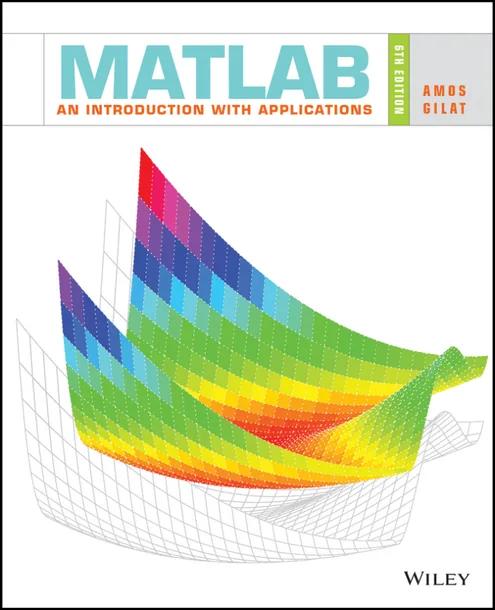
MATLAB: An Introduction with Applications
by Amos Gilat
6th Edition
Publisher: Wiley
Book Details
| Print ISBN | 9781119256830 |
| eText ISBN | 9781119299257 |
| Publisher | Wiley |
| Publishing Year | 2016 |
| Edition | 6th Edition |
| Language | English |
MATLAB: An Introduction with Applications, 6th Edition, is a textbook by Amos Gilat that introduces students to technical computing. The text presents computational tools designed to solve analytical problems across mathematics, science, and engineering disciplines.
The volume covers foundational operations with arrays, mathematical array procedures, script files, and data management. It also examines programming techniques, user-defined functions, curve fitting, numerical analysis, two- and three-dimensional plots, and symbolic math.
Employing a just-in-time learning approach, the presentation incorporates step-by-step tutorials and computer screenshots. This structure provides practice for introductory college students, independent learners, and readers seeking a reference for coursework.
Table of Contents
Chapter Preface: Preface
Chapter Introduction: Introduction
Chapter 1: Starting with MATLAB
- • 1.1 STARTING MATLAB, MATLAB WINDOWS
- • 1.2 WORKING IN THE COMMAND WINDOW
- • 1.3 ARITHMETIC OPERATIONS WITH SCALARS
- • 1.3.1 Order of Precedence
- • 1.3.2 Using MATLAB as a Calculator
- • 1.4 DISPLAY FORMATS
- • 1.5 ELEMENTARY MATH BUILT-IN FUNCTIONS
- • 1.6 DEFINING SCALAR VARIABLES
- • 1.6.1 The Assignment Operator
- • 1.6.2 Rules About Variable Names
- • 1.6.3 Predefined Variables and Keywords
- • 1.7 USEFUL COMMANDS FOR MANAGING VARIABLES
- • 1.8 SCRIPT FILES
- • 1.8.1 Notes About Script Files
- • 1.8.2 Creating and Saving a Script File
- • 1.8.3 Running (Executing) a Script File
- • 1.8.4 Current Folder
- • 1.9 EXAMPLES OF MATLAB APPLICATIONS
- • 1.10 PROBLEMS
Chapter 2: Creating Arrays
- • 2.1 CREATING A ONE-DIMENSIONAL ARRAY (VECTOR)
- • 2.2 CREATING A TWO-DIMENSIONAL ARRAY (MATRIX)
- • 2.2.1 The zeros, ones and, eye Commands
- • 2.3 NOTES ABOUT VARIABLES IN MATLAB
- • 2.4 THE TRANSPOSE OPERATOR
- • 2.5 ARRAY ADDRESSING
- • 2.5.1 Vector
- • 2.5.2 Matrix
- • 2.6 USING A COLON : IN ADDRESSING ARRAYS
- • 2.7 ADDING ELEMENTS TO EXISTING VARIABLES
- • 2.8 DELETING ELEMENTS
- • 2.9 BUILT-IN FUNCTIONS FOR HANDLING ARRAYS
- • 2.10 STRINGS AND STRINGS AS VARIABLES
- • 2.11 PROBLEMS
Chapter 3: Mathematical Operations with Arrays
- • 3.1 ADDITION AND SUBTRACTION
- • 3.2 ARRAY MULTIPLICATION
- • 3.3 ARRAY DIVISION
- • 3.4 ELEMENT-BY-ELEMENT OPERATIONS
- • 3.5 USING ARRAYS IN MATLAB BUILT-IN MATH FUNCTIONS
- • 3.6 BUILT-IN FUNCTIONS FOR ANALYZING ARRAYS
- • 3.7 GENERATION OF RANDOM NUMBERS
- • 3.8 EXAMPLES OF MATLAB APPLICATIONS
- • 3.9 PROBLEMS
Chapter 4: Using Script Files and Managing Data
- • 4.1 THE MATLAB WORKSPACE AND THE WORKSPACE WINDOW
- • 4.2 INPUT TO A SCRIPT FILE
- • 4.3 OUTPUT COMMANDS
- • 4.3.1 The disp Command
- • 4.3.2 The fprintf Command
- • 4.4 THE save AND load COMMANDS
- • 4.4.1 The save Command
- • 4.4.2 The load Command
- • 4.5 IMPORTING AND EXPORTING DATA
- • 4.5.1 Commands for Importing and Exporting Data
- • 4.5.2 Using the Import Wizard
- • 4.6 EXAMPLES OF MATLAB APPLICATIONS
- • 4.7 PROBLEMS
Chapter 5: Two-Dimensional Plots
- • 5.1 THE plot COMMAND
- • 5.1.1 Plot of Given Data
- • 5.1.2 Plot of a Function
- • 5.2 THE fplot COMMAND
- • 5.3 PLOTTING MULTIPLE GRAPHS IN THE SAME PLOT
- • 5.3.1 Using the plot Command
- • 5.3.2 Using the hold on and hold off Commands
- • 5.3.3 Using the line Command
- • 5.4 FORMATTING A PLOT
- • 5.4.1 Formatting a Plot Using Commands
- • 5.4.2 Formatting a Plot Using the Plot Editor
- • 5.5 PLOTS WITH LOGARITHMIC AXES
- • 5.6 PLOTS WITH ERROR BARS
- • 5.7 PLOTS WITH SPECIAL GRAPHICS
- • 5.8 HISTOGRAMS
- • 5.9 POLAR PLOTS
- • 5.10 PUTTING MULTIPLE PLOTS ON THE SAME PAGE
- • 5.11 MULTIPLE FIGURE WINDOWS
- • 5.12 PLOTTING USING THE PLOTS TOOLSTRIP
- • 5.13 EXAMPLES OF MATLAB APPLICATIONS
- • 5.14 PROBLEMS
Chapter 6: Programming in MATLAB
- • 6.1 RELATIONAL AND LOGICAL OPERATORS
- • 6.2 CONDITIONAL STATEMENTS
- • 6.2.1 The if-end Structure
- • 6.2.2 The if-else-end Structure
- • 6.2.3 The if-elseif-else-end Structure
- • 6.3 THE switch-case STATEMENT
- • 6.4 LOOPS
- • 6.4.1 for-end Loops
- • 6.4.2 while-end Loops
- • 6.5 NESTED LOOPS AND NESTED CONDITIONAL STATEMENTS
- • 6.6 THE break AND continue COMMANDS
- • 6.7 EXAMPLES OF MATLAB APPLICATIONS
- • 6.8 PROBLEMS
Chapter 7: User-Defined Functions and Function Files
- • 7.1 CREATING A FUNCTION FILE
- • 7.2 STRUCTURE OF A FUNCTION FILE
- • 7.2.1 Function Definition Line
- • 7.2.2 Input and Output Arguments
- • 7.2.3 The H1 Line and Help Text Lines
- • 7.2.4 Function Body
- • 7.3 LOCAL AND GLOBAL VARIABLES
- • 7.4 SAVING A FUNCTION FILE
- • 7.5 USING A USER-DEFINED FUNCTION
- • 7.6 EXAMPLES OF SIMPLE USER-DEFINED FUNCTIONS
- • 7.7 COMPARISON BETWEEN SCRIPT FILES AND FUNCTION FILES
- • 7.8 ANONYMOUS FUNCTIONS
- • 7.9 FUNCTION FUNCTIONS
- • 7.9.1 Using Function Handles for Passing a Function into a Function Function
- • 7.9.2 Using a Function Name for Passing a Function into a Function Function
- • 7.10 SUBFUNCTIONS
- • 7.11 NESTED FUNCTIONS
- • 7.12 EXAMPLES OF MATLAB APPLICATIONS
- • 7.13 PROBLEMS
Chapter 8: Polynomials, Curve Fitting, and Interpolation
- • 8.1 POLYNOMIALS
- • 8.1.1 Value of a Polynomial
- • 8.1.2 Roots of a Polynomial
- • 8.1.3 Addition, Multiplication, and Division of Polynomials
- • 8.1.4 Derivatives of Polynomials
- • 8.2 CURVE FITTING
- • 8.2.1 Curve Fitting with Polynomials; The polyfit Function
- • 8.2.2 Curve Fitting with Functions Other than Polynomials
- • 8.3 INTERPOLATION
- • 8.4 THE BASIC FITTING INTERFACE
- • 8.5 EXAMPLES OF MATLAB APPLICATIONS
- • 8.6 PROBLEMS
Chapter 9: Applications in Numerical Analysis
- • 9.1 SOLVING AN EQUATION WITH ONE VARIABLE
- • 9.2 FINDING A MINIMUM OR A MAXIMUM OF A FUNCTION
- • 9.3 NUMERICAL INTEGRATION
- • 9.4 ORDINARY DIFFERENTIAL EQUATIONS
- • 9.5 EXAMPLES OF MATLAB APPLICATIONS
- • 9.6 PROBLEMS
Chapter 10: Three-Dimensional Plots
- • 10.1 LINE PLOTS
- • 10.2 MESH AND SURFACE PLOTS
- • 10.3 PLOTS WITH SPECIAL GRAPHICS
- • 10.4 THE view COMMAND
- • 10.5 EXAMPLES OF MATLAB APPLICATIONS
- • 10.6 PROBLEMS
Chapter 11: Symbolic Math
- • 11.1 SYMBOLIC OBJECTS AND SYMBOLIC EXPRESSIONS
- • 11.1.1 Creating Symbolic Objects
- • 11.1.2 Creating Symbolic Expressions
- • 11.1.3 The findsym Command and the Default Symbolic Variable
- • 11.2 CHANGING THE FORM OF AN EXISTING SYMBOLIC EXPRESSION
- • 11.2.1 The collect, expand, and factor Commands
- • 11.2.2 The simplify and simple Commands
- • 11.2.3 The pretty Command
- • 11.3 SOLVING ALGEBRAIC EQUATIONS
- • 11.4 DIFFERENTIATION
- • 11.5 INTEGRATION
- • 11.6 SOLVING AN ORDINARY DIFFERENTIAL EQUATION
- • 11.7 PLOTTING SYMBOLIC EXPRESSIONS
- • 11.8 NUMERICAL CALCULATIONS WITH SYMBOLIC EXPRESSIONS
- • 11.9 EXAMPLES OF MATLAB APPLICATIONS
- • 11.10 PROBLEMS
Chapter Appendix: Summary of Characters, Commands, and Functions
Chapter Answers to Selected Problems: Answers to Selected Problems
Customer Reviews
0.0
0 reviews
No reviews yet. Be the first to review this book!
Write a Review
Reviewed by GradeFocus Editorial Team