Book Details
| Print ISBN | 9780134589664 |
| eText ISBN | 9780134588506 |
| Publisher | Pearson |
| Publishing Year | 2017 |
| Edition | 5th Edition |
| Language | English |
| Pages | 720 |
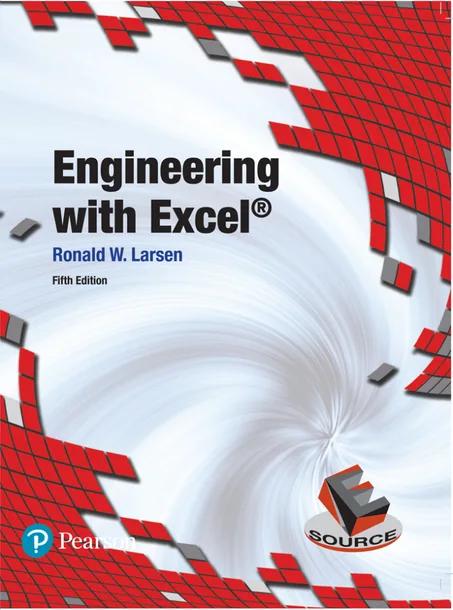
Engineering with Excel, 5th Edition is a textbook that introduces Microsoft Excel 2016 on Windows 10 for technical problem solving. It shows how spreadsheet tools can be organized to carry out calculations across engineering disciplines.
The volume establishes a foundation in computational mathematics by exploring graphing, matrix manipulation, regression models, and statistical analysis. It also guides students through iterative solutions, financial decision-making, and custom programming using Visual Basic for Applications (VBA).
Published by Pearson for courses in Introduction to Engineering and Computer Methods for Engineers, this 2017 edition explains how to apply spreadsheet methods to practical engineering tasks and share data with external applications.
Table of Contents
Chapter 1: Introduction to Excel
- • 1.1 Introduction
- • 1.2 What’s New in Excel 2016?
- • 1.3 A Little Windows®
- • 1.4 Excel Basics
- • 1.5 Organizing Your Worksheets
- • 1.6 Printing the Worksheet
- • 1.7 Saving and Opening Workbooks, Exiting Excel
Chapter 2: Using Excel’s Ribbon
- • 2.1 Navigating the Ribbon
- • 2.2 Using the Clipboard Group
- • 2.3 Using the Font Group
- • 2.4 Using the Alignment Group
- • 2.5 Formatting Numbers
- • 2.6 Using the Styles Group
- • 2.7 Inserting, Deleting, and Formatting Rows and Columns
Chapter 3: Graphing with Excel
- • 3.1 Introduction
- • 3.2 Getting Ready to Graph
- • 3.3 Creating an Xy Scatter Graph
- • 3.4 Editing an Existing Graph
- • 3.5 Printing the Graph
- • 3.6 Other Types of Graphs
- • 3.7 Graphing Web Data
- • 3.8 Importing Text Files 161
Chapter 4: Excel Functions
- • 4.1 Introduction to Excel Functions
- • 4.2 Excel’s Built-in Functions
- • 4.3 Using the Convert Function to Convert Units
- • 4.4 Simple Math Functions
- • 4.5 Computing Sums
- • 4.6 Trigonometric Functions
- • 4.7 Advanced Math Functions
- • 4.8 Error Function
- • 4.9 Bessel Functions
- • 4.10 Working with Complex Numbers
- • 4.11 Working with Binary, Octal, and Hexadecimal Values
- • 4.12 Miscellaneous Functions
Chapter 5: Matrix Operations in Excel
- • 5.1 Introduction
- • 5.2 Matrices, Vectors, and Arrays
- • 5.3 How Excel Handles Matrix Math
- • 5.4 Basic Matrix Operations
- • 5.5 Solving Systems of Linear Equations
Chapter 6: Linear Regression in Excel
- • 6.1 Introduction
- • 6.2 Linear Regression Using Excel Functions
- • 6.3 Linear Regression Using Excel’s Trendlines
- • 6.4 Other Two-Coefficient Linear Regression Models
- • 6.5 Polynomial Regression
- • 6.6 Linear Regression Using Excel’s Regression Analysis Package
Chapter 7: Excel’s Statistics Functions
- • 7. Overview
- • 7.2 Populations and Samples
- • 7.3 Standard Deviations and Variances
- • 7.4 Errors, Deviations, and Distributions
- • 7.5 Confidence Intervals
Chapter 8: Excel’s Financial Functions
- • 8.1 Time, Money, and Cash Flows
- • 8.2 Interest Rates and Compounding
- • 8.3 Moving Amounts Through Time
- • 8.4 Net Present Value
- • 8.5 Internal Rate of Return
- • 8.6 Economic Alternatives: Making Decisions
- • 8.7 Depreciation of Assets
Chapter 9: Iterative Solutions Using Excel
- • 9.1 Introduction
- • 9.2 Iterative Solutions
- • 9.3 Using a Plot to Search for Roots
- • 9.4 Simple “Guess and Check” Iteration
- • 9.5 Direct Substitution Technique
- • 9.6 Using Goal Seek in Excel
- • 9.7 Introduction to Excel’s Solver
- • 9.8 Optimization Using the Solver
- • 9.9 Nonlinear Regression
- • 9.10 Linear Programming
Chapter 10: Sharing Excel Information with Other Programs
- • 10.1 Introduction to Sharing Excel Information with other Programs
- • 10.2 Using Copy and Paste to Move Information
- • 10.3 Embedded and Linked Objects
- • 10.4 External Data Sources
Chapter 11: Excel Pivot Tables
- • 11.1 Introduction
- • 11.2 Preparing to Create a Pivot Table
- • 11.3 A Basic Pivot Table
- • 11.4 Sorting and Filtering a Pivot Table
- • 11.5 Pivoting the Pivot Table
- • 11.6 What Can Be Done with a Pivot Table?
- • 11.7 Pivot Charts
Chapter 12: Macros and User-Written Functions for Excel
- • 12.1 Introduction
- • 12.2 Macros and Viruses
- • 12.3 Recorded Macros
- • 12.4 Programmed Macros (Vba)
Chapter 13: User-Written Functions for Excel
- • 13.1 Introduction
- • 13.2 Macro-Enabled Worksheets
- • 13.3 Introduction to Visual Basic for Applications (Vba)
- • 13.4 Writing Your Own Function
- • 13.5 Using Your Functions in Other Workbooks
- • 13.6 Examples of User-Written Functions
Chapter 14: Programming in Excel with VBA
- • 14.1 Introduction
- • 14.2 Virus Protection and Macro-Enabled Workbooks
- • 14.3 Visual Basic for Applications (VBA)
- • 14.4 Projects, Forms, and Modules
- • 14.5 Flowcharts
- • 14.6 Fundamental Elements of Programming
- • 14.7 Working with Forms
Chapter 15: Numerical Differentiation Using Excel
- • 15.1 Introduction
- • 15.2 Finite Differences
- • 15.3 Filtering Data
- • 15.4 Curve Fitting and Differentiation
Chapter 16: Numerical Integration Using Excel
- • 16.1 Introduction
- • 16.2 Integrating for Area Under a Curve
- • 16.3 Integrating for Area Between Two Curves
- • 16.4 Numerical Integration Methods
- • 16.5 Using Regression Equations for Integration
Chapter 17: Numerical Integration Techniques for Differential Equations Using Excel
- • 17.1 Introduction
- • 17.2 Euler’s Method
- • 17.3 Fourth-Order Runge—Kutta Method
- • 17.4 Integrating Two Simultaneous Odes by Using the Runge—Kutta Method
- • 17.5 Implicit Integration Methods
Customer Reviews
0.0
0 reviews
No reviews yet. Be the first to review this book!
Write a Review
Reviewed by GradeFocus Editorial Team